 Space System
A clear mind.
Everything in one place.
From your big vision down to the very next action: goals, projects, notes and all your files — connected in one calm tool. As plain files that belong to you.
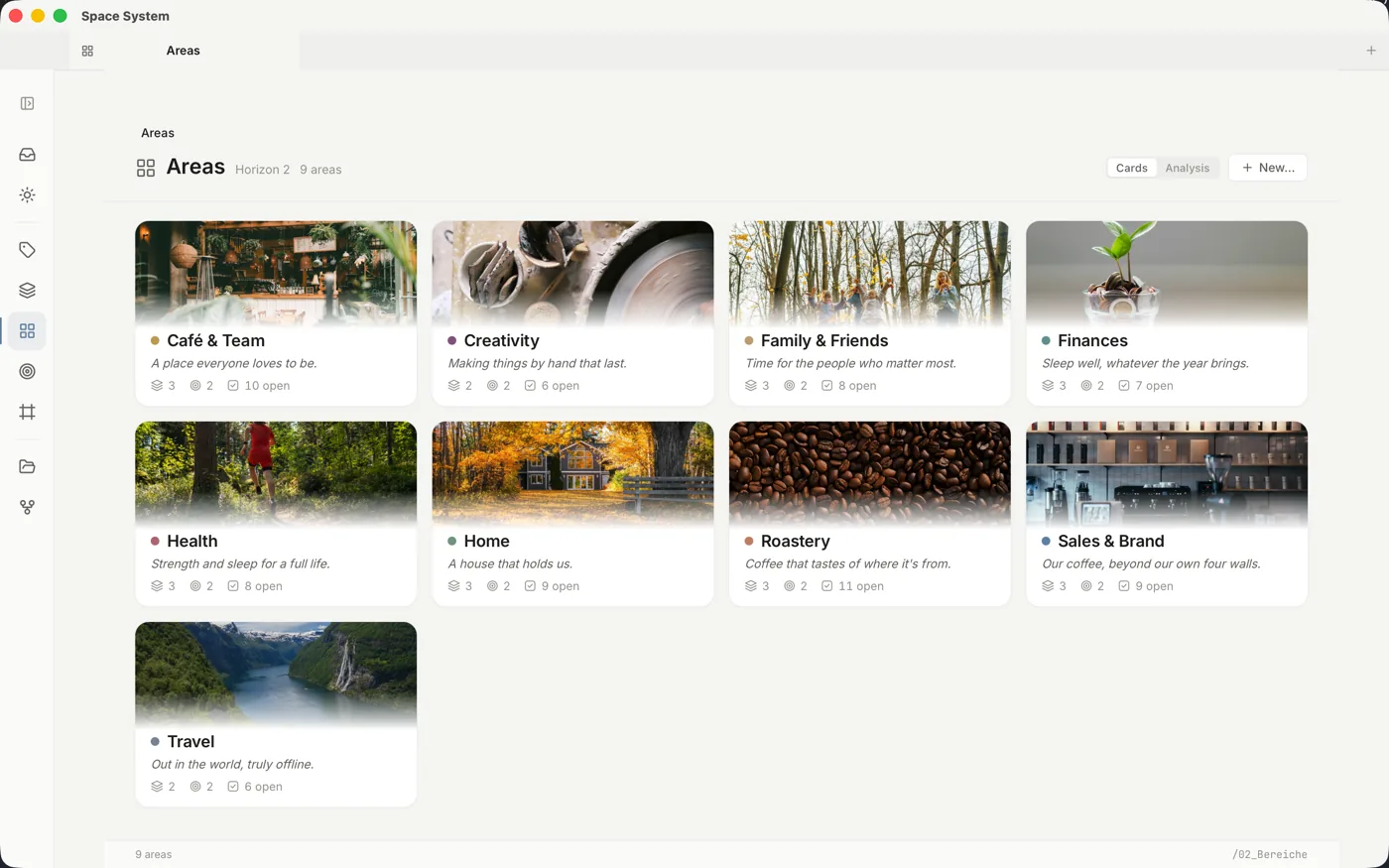
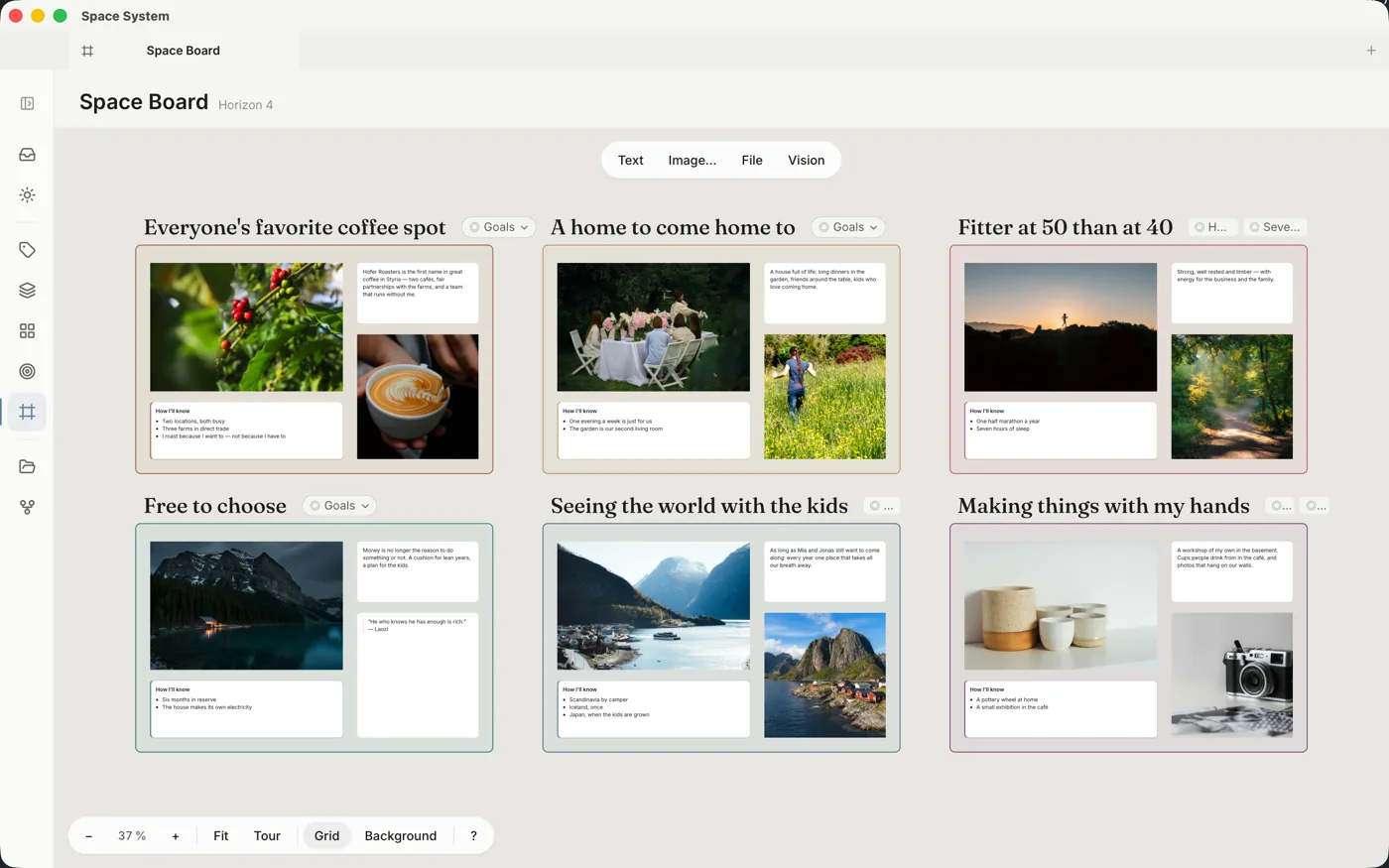
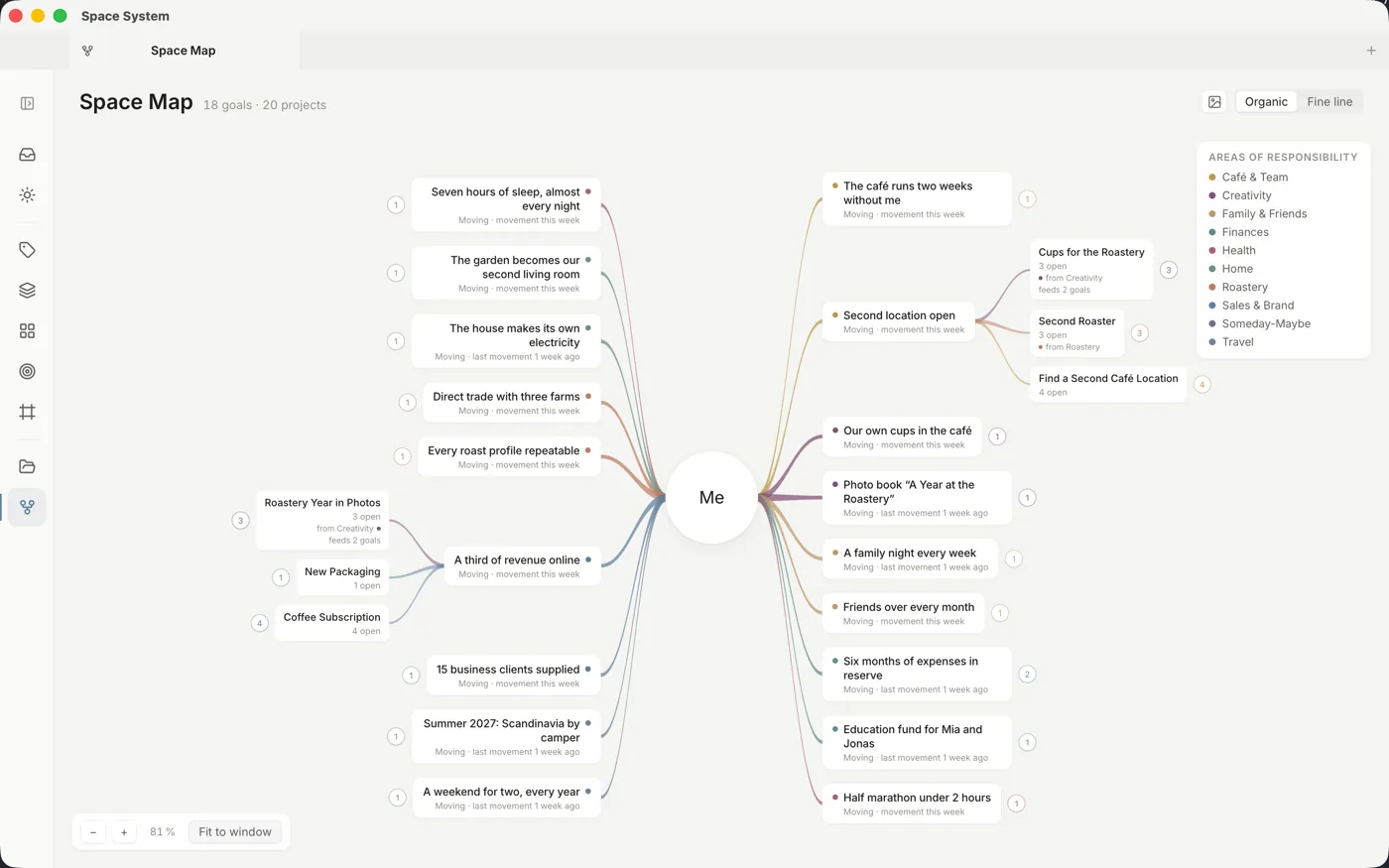
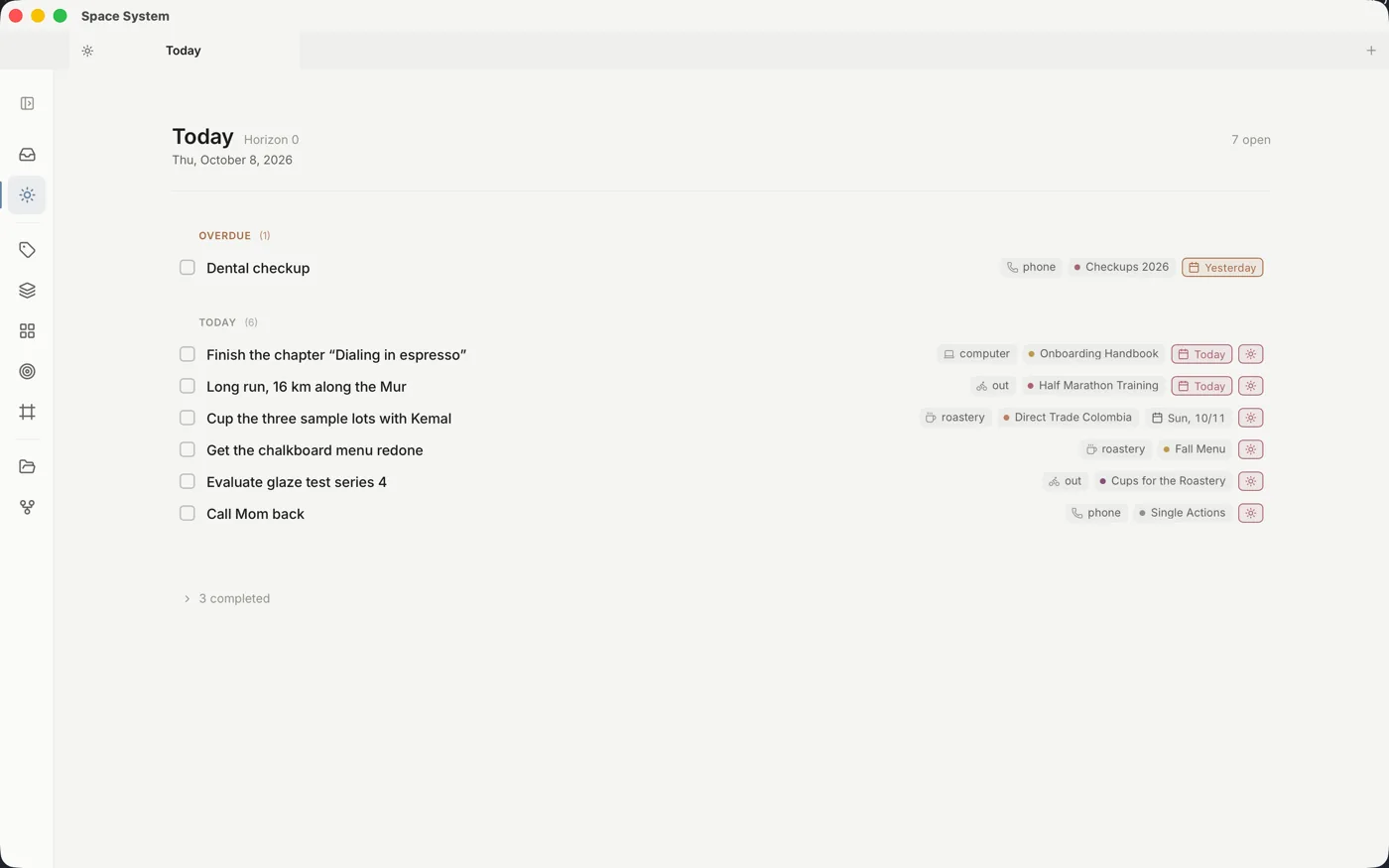
Your areas of focus — each with an image, a commitment and its open steps.
Just type your task. Space System sorts out the rest.
You capture like in any good task manager — Space System recognises context, project and date automatically. You never see any Markdown or syntax.
Markdown stays invisible
You type and read plain text — no asterisks, no hashes, no syntax. How Space System stores it, you never see.
Tasks, notes & files
Everything lives together: your to-dos, your knowledge and the documents that go with them — one system instead of five scattered apps.
Today, Inbox, Projects …
Your tasks show up automatically where they belong: due today, in the inbox, in the right project or context — no double bookkeeping.
Your second brain, your to-do list and all your files — in the same system.
Most tools lock your notes, tasks and above all your files into separate worlds. Space System brings it all together — in one calm interface where you simply work, while contexts and dates are recognised automatically. No lock-in: everything lives as plain files in your own folder and belongs to you.
Your files belong to you
Everything is stored as plain text files in your folder — no proprietary format, no foreign database. Open, back up and move them with any tool. Your data outlives every app, this one included.
GTD & PARA, built deep
Tasks with context, date and defer date. Today, Inbox, Projects, Areas, Resources and Archive — the structure GTD and PARA need together.
Local & private
Everything runs on your computer. No cloud requirement, no telemetry, no analysis behind your back. Privacy here isn't a checkbox — it's the foundation.
Write without seeing the syntax
You see formatted text instead of asterisks and hashes — underneath it stays cleanly stored. No mode switch, no separate preview window: just write.
Everything is connected. And you can see it.
GTD thinks in horizons: from your vision through goals and areas of focus down to the next action. Space System gives every horizon its own view — and connects them, so every task knows what it is for.
Your big picture, always in sight
An endless canvas for your visions: photos, thoughts, quotes, links and files, with goals attached right to them. Play it as a tour, export it as a PDF, go back to earlier versions — saved as open JSON Canvas that Obsidian reads too.
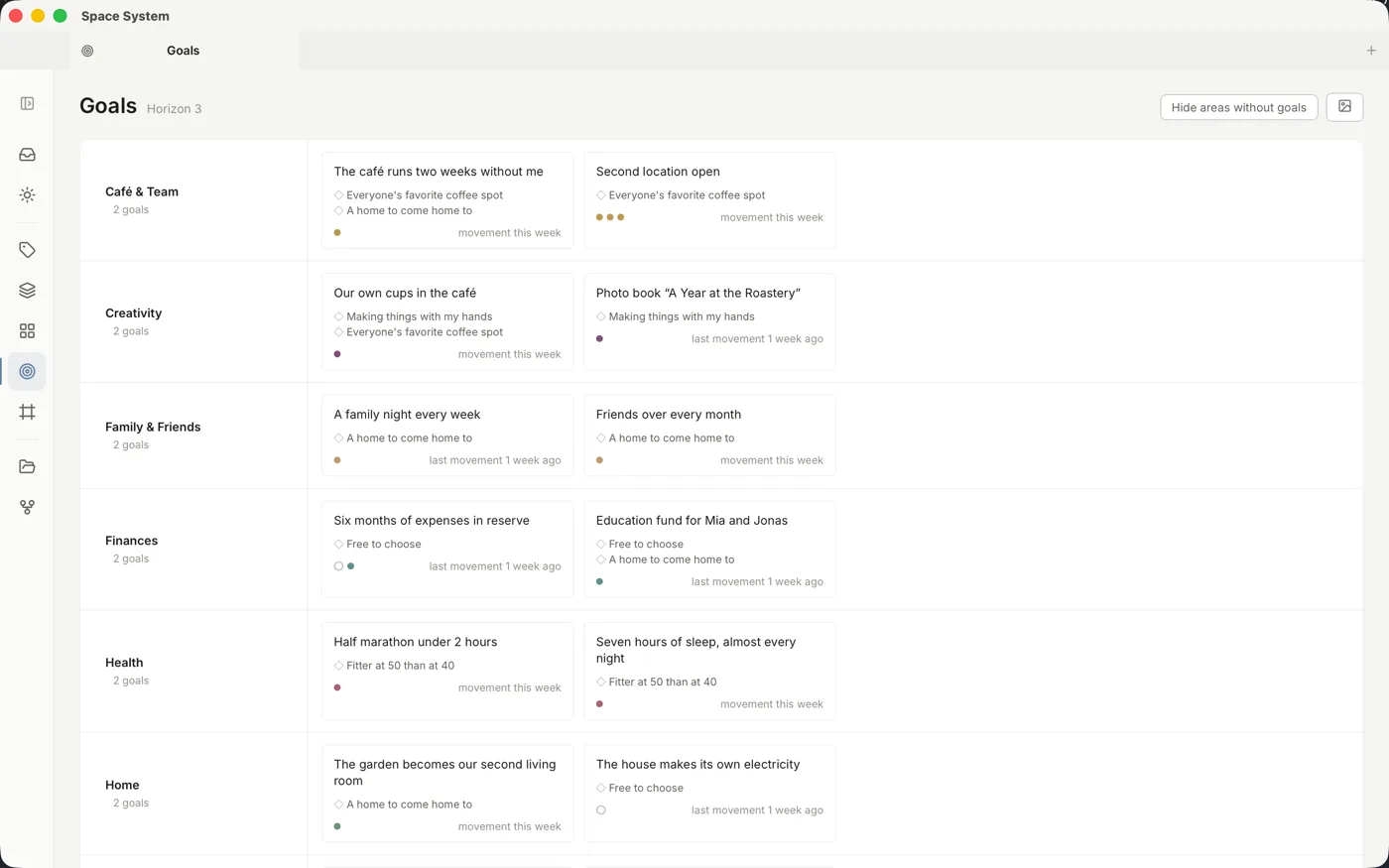
Goals that move
One or two goals per area — each with the vision it serves and the projects that pay into it. No progress bars, no nagging: you simply see whether something is moving.
Everything on one map
You in the middle, around you your goals, their projects and the next actions — in the colors of your areas. Unfold what is on your mind and add new things right on the map.
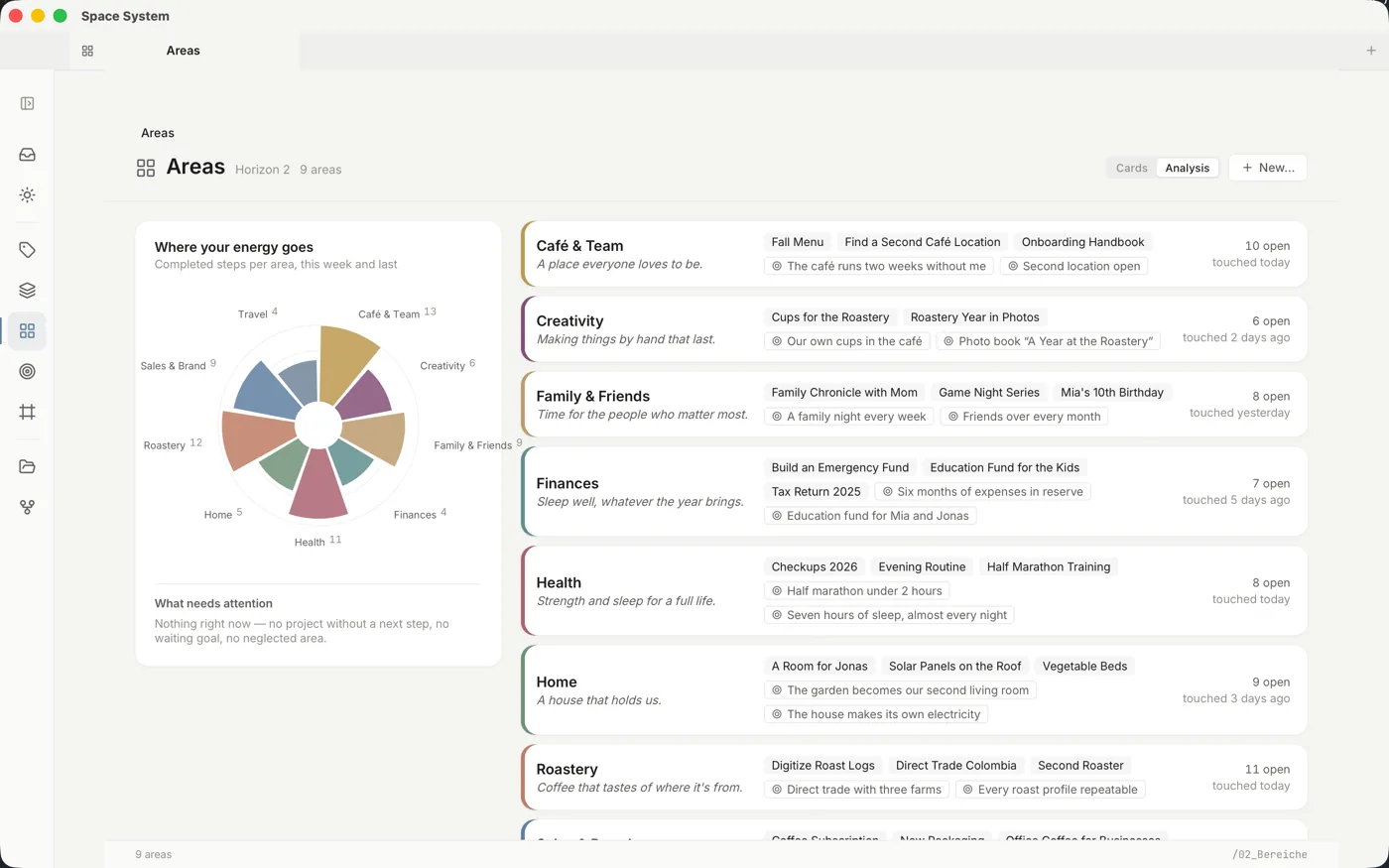
Where your energy goes
Business, family, health, finances: every area gets a color, an image and a commitment. The analysis shows where you actually worked over the last two weeks — and what needs attention now.
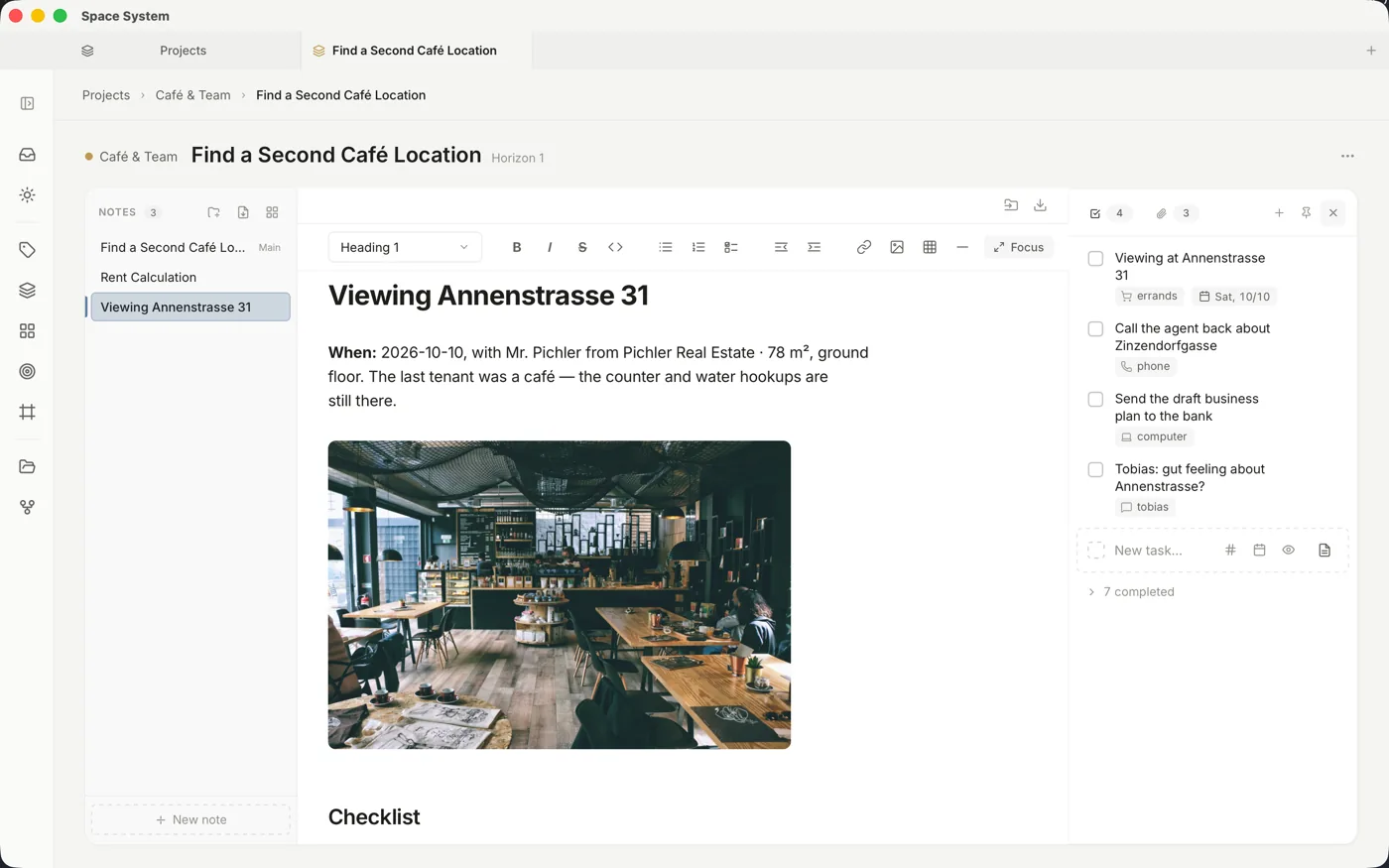
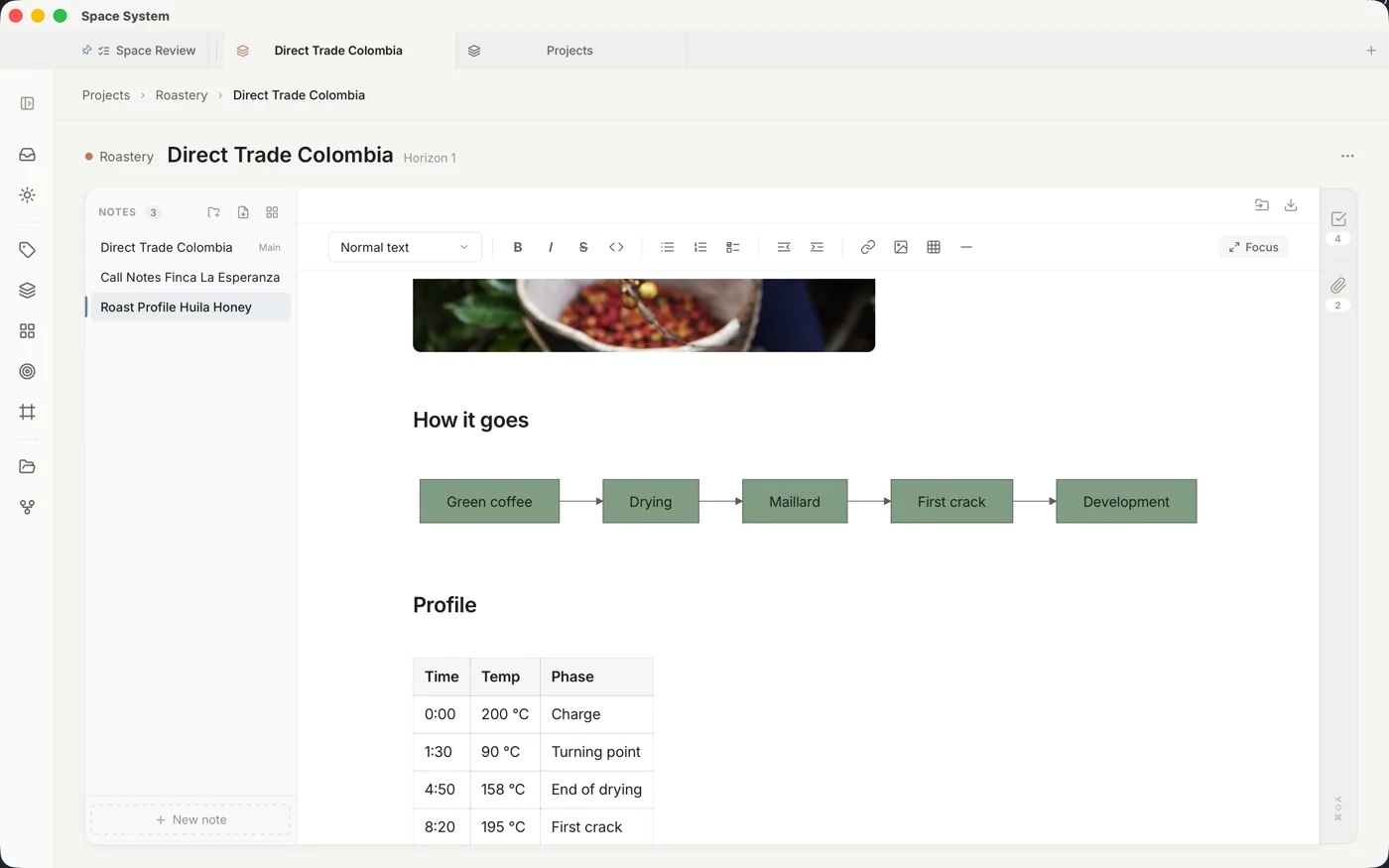
One project, everything together
Notes, next actions and the files that belong to them sit side by side — brochure, photos, budget. No jumping between apps, no hunting for the document that went with the task.
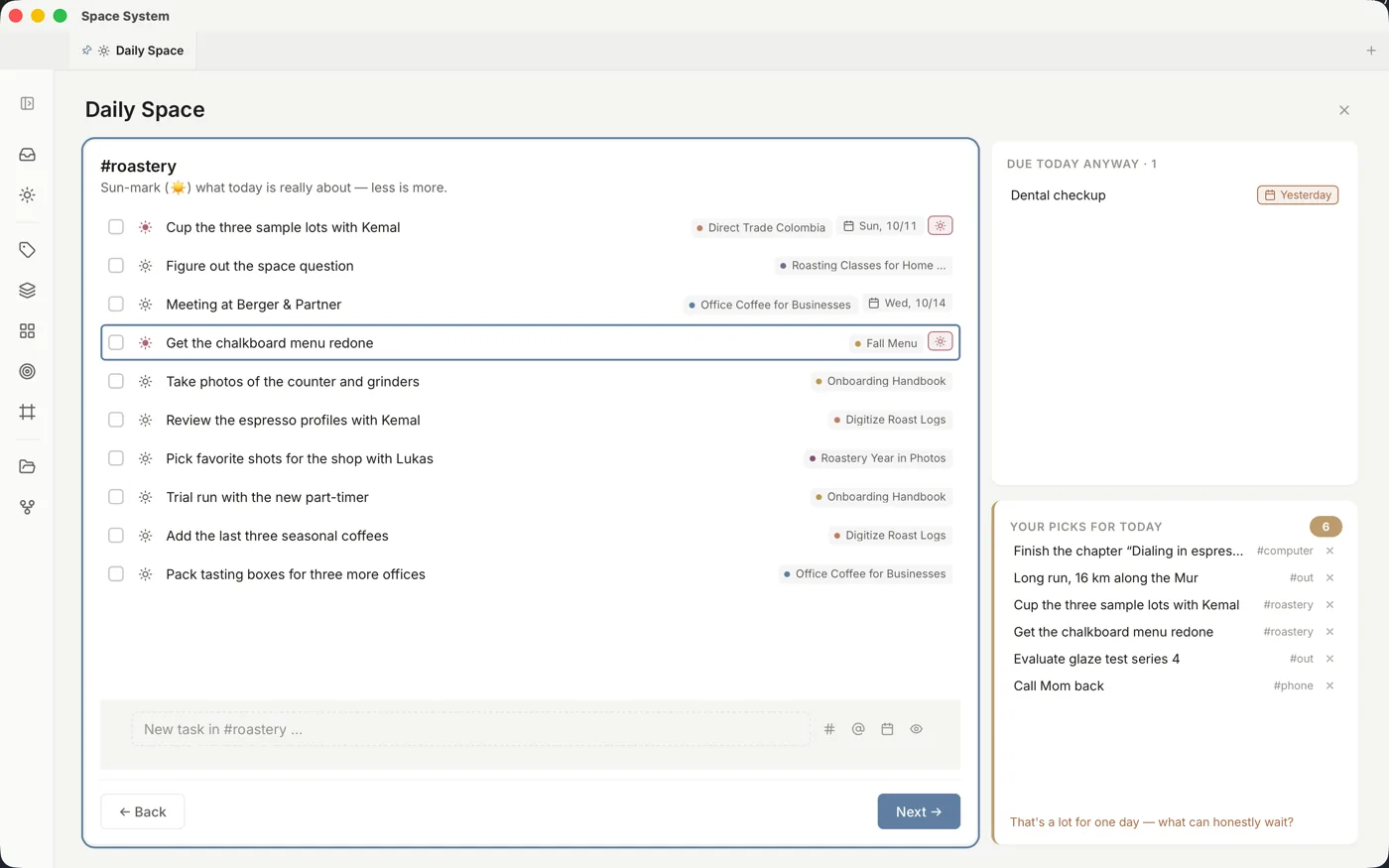
Two minutes in the morning. A clear day.
A quick look at your inbox, then you pick your contexts and mark with ☀️ what really matters today. A traffic light tells you when it is too much. Everything else can wait.
Thought through to the last detail.
Space System is not a prototype with pretty pictures. Behind every view is a tool that gets used every single day.
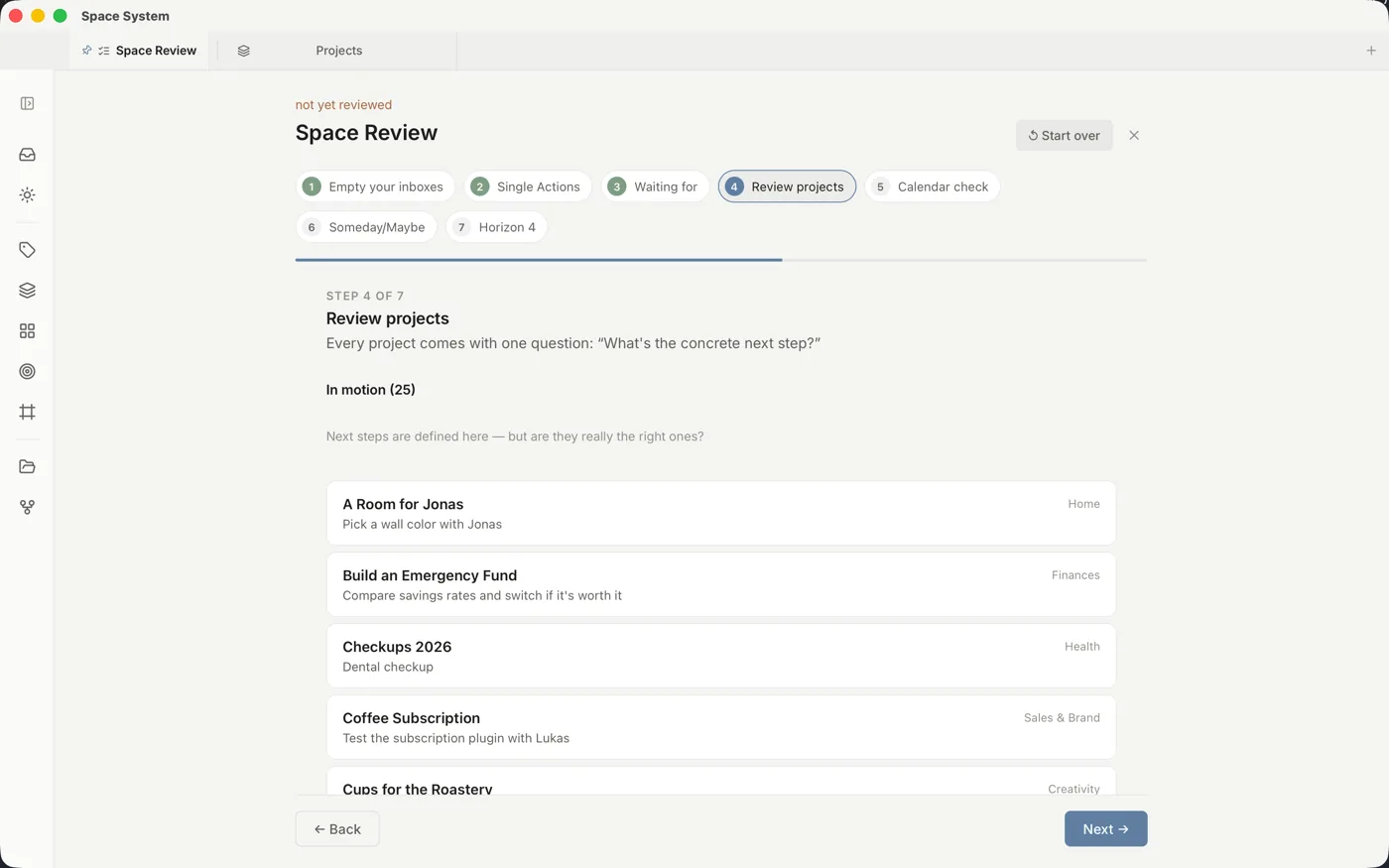
Space Capture
⌃⌥Space from anywhere on your Mac, WinAltSpace on Windows: grabs the browser tab, the email or the folder as a link.
Type as usual
“- ”, “# ” or “[ ] ” instantly become a list, heading or checklist. Pasting from the web or Word keeps the formatting.
Recurring
Daily, monthly, from completion — recurring tasks in plain notation, compatible with Obsidian Tasks.
Keyboard first
⌘K finds everything and runs commands. Move, schedule and check off tasks — no mouse needed.
Space Buddy
The iPhone companion: capture (even by photo), clarify and search — over Wi-Fi with your Mac or via Nextcloud and pCloud.
Safe and sound
A trash with its own view and adjustable retention, plus a Vault Doctor that checks your folder and explains what it finds.
Open formats
Markdown, JSON Canvas, YAML. Your files work in Obsidian, VS Code and any text editor — today and in 20 years.
Five languages
English, German, Spanish, French and Danish. On Mac (Apple Silicon and Intel) and Windows.
Your thoughts belong to you. Not the app.
Most tools solve only part of it. Space System brings together what belongs together.
| Note apps | Task apps | Cloud suites | Space System | |
|---|---|---|---|---|
| Connected from vision to next action | no | no | no | |
| Tasks, notes and files together | no | no | partly | |
| GTD and PARA built in | no | partly | no | |
| Everything as open files you keep | partly | no | no | |
| Usable without a cloud account | partly | no | no | |
| No telemetry | partly | no | no |
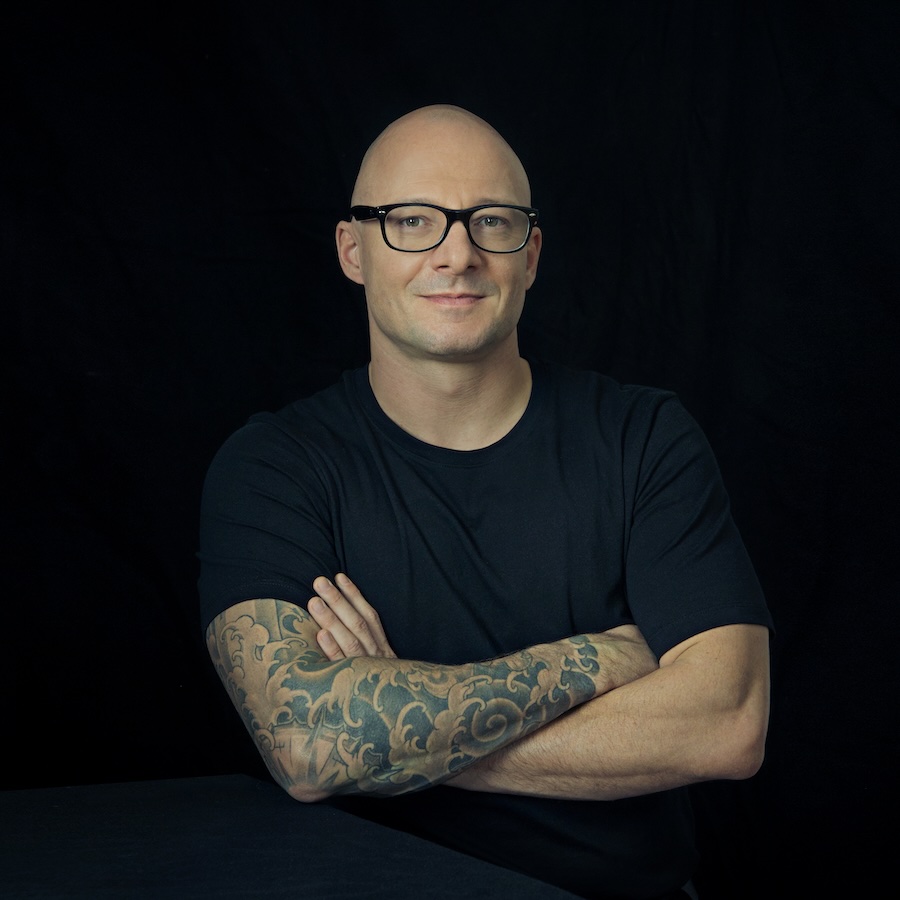
Built by someone who lives GTD.
Space System didn't come out of a startup lab. I'm Pascal, a GTD trainer and consultant for over 20 years. For years I tried every tool that promises tasks, notes and files in one place. None took GTD and PARA seriously without locking my data into someone else's database. So I built the tool I use myself every day. Foundation before features. A clear mind — “mind like water”.
For everyone who wants a clear head.
GTD coaches & consultants
A tool that takes Getting Things Done seriously — deep enough for you, clear enough to recommend to clients.
Freelancers & the self-employed
Projects, clients, ideas and the files that go with them — in one place, without stitching together five different subscriptions.
Students & researchers
Notes, sources and tasks in a searchable, lasting archive that belongs to you — not to the next app.
Developers & knowledge workers
Plain-text-first, local, no lock-in. Real files that fit any editor, backup and script.
Up and running in five minutes.
No setup marathon, no accounts, no cloud sign-up. Download, pick a folder, start writing.
Download & open
Download the version for your computer, install it and start Space System. Signed and notarised by Apple — no fiddling with security warnings.
Pick a folder
Point Space System at a folder — empty or full of notes, local or in your cloud. Everything stays in plain files that belong to you.
Capture a task
Press ⌘ N (Windows: Ctrl N) and just start typing. Space System reads context, project and date straight from your sentence.
Structure grows with you
Today, Inbox, Projects, Areas, Resources, Archive: the GTD & PARA structure is there when you need it — and stays out of sight when you don't.
Fairly priced. Free during beta.
Open beta: your yearly licence is free right now — and stays valid until it expires
Why a subscription for a local app? Because one person builds, maintains and improves Space System. The subscription keeps updates, signing and direct support running. Your files stay yours regardless — they live as open text files in your folder, readable with any editor, even without an active subscription.
- All features unlocked
- For Mac & Windows, up to 3 devices
- All updates included
- A direct line to the developer
Get it now — for your computer.
Signed, notarised and with built-in auto-update. You only need a licence to activate — and it's free right now.
On first launch the Mac may run a brief check — the builds are notarised by Apple. Space Buddy is still an open beta via Apple's TestFlight: install TestFlight from the App Store first, then open the beta link above on your iPhone — there is no code to type in.
Frequently asked questions.
Where is my data?
In a folder of your choice on your computer — as plain text files. No server, no proprietary database, no hidden format. You can open your notes anytime with any other program.
Is there anything for my phone?
Space Buddy — the iPhone companion: capture thoughts (including from any app's share sheet, screenshots included), tick off context lists, read your projects and areas. It syncs directly with your Mac on the same network or — when your Mac is off — through your own Nextcloud or pCloud. No account with us: your phone never talks to a server of ours.
It is currently available as an open beta. How to get in:
1. Install TestFlight from the App Store (Apple's official beta app).
2. Open this link on your iPhone: testflight.apple.com/join/2JrnVH9a — Space Buddy then appears ready to install. There is no code to type anywhere; it is already part of the link.
3. In Space System on your Mac: Settings → Phone & cloud, switch on “Phone sync server”, click “Pair new device” and scan the QR code with the app.
There is no Android version yet.
Space Capture or Space Clipper – which one when?
Space Capture (⌃⌥Space on the Mac, WinAltSpace on Windows) works in any app: a thought becomes a task in your inbox, and the link to whatever is in front of you – browser tab, email, folder – comes along. Best for things you need to do.
Space Clipper is the browser extension (Chrome, Edge, Brave, Vivaldi, Firefox). It knows the content, not just the address: the page text or your selection, and for Gmail, Outlook on the web and Infomaniak also subject, sender and message body. It turns that into a task or a reference note of its own – straight into the right project if you like. Best for things you want to keep.
Both write to the same folder and never get in each other's way. The Clipper needs no internet: it only talks to Space System on your computer, and if the app is closed, the capture is saved as soon as it runs again. Set it up under Settings → General → Browser extension.
Do I need the cloud?
No. Space System runs entirely locally. Put your folder in iCloud Drive, Dropbox or Google Drive and it syncs via their service — you decide, not us.
What does it cost?
Nothing during the open beta: you get a full yearly licence for free, unlocking all features on up to three devices. That licence stays valid until it expires — even if Space System starts charging in the meantime, you pay nothing until then. After that, the regular price is €29 a year as of today, including all features and updates.
Why does a local app cost a subscription?
Because one person builds, signs and supports it continuously. The subscription funds updates and further development. Your notes and tasks stay with you as open files, even without an active subscription.
What happens if I let the subscription lapse?
Your files always stay openly readable in your folder — with any editor, subscription or not. In Space System itself you get a 14-day grace period after expiry, during which everything keeps working normally. After that the app switches to read-only: you can still open, search and read everything — you create new notes and tasks again as soon as you renew. Nothing is locked away or deleted.
Do I get the licence key immediately?
Yes. Right after you submit, your key appears on the page and also arrives by email. No waiting.
Which platforms are supported?
macOS (Apple Silicon and Intel) and Windows 10 and 11. Both are signed and come with built-in auto-update. The keyboard shortcuts work on both — on Windows, Ctrl takes the place of ⌘.
Does the app collect data about me?
No. Zero telemetry, no tracking, no background analysis. There is no built-in AI either — nothing you write leaves your computer. On its own, the app only reaches out to check for updates and to verify your licence. Beyond that, only when you explicitly ask it to — for example an image search (Unsplash, Openverse), loading an image from an address, or the wish list. Your notes are never part of that.
Can I get my data back later?
Anytime — they're your files. No export needed, no lock-in. Uninstall Space System and all your notes remain, and your normal backup (Time Machine, cloud sync …) has them covered anyway.
Find your way quickly.
You can run Space System almost entirely from the keyboard. Here are all the shortcuts at a glance — and a direct line if something ever gets stuck.
Keyboard shortcuts
All shortcuts at a glance — app & tabs, jumping between areas, tasks, capturing and the editor. From capture to formatting, entirely without the mouse.
Open the cheatsheet →A direct line
A question, a bug or a wish? Write to the developer directly. In the beta you get short paths and quick replies.
spacesystem@pascalreischl.com →Space System keeps growing — something new lands almost every week. What changed is shown right in the app after each update.